|
Description:
|
|
- : Updated with Amin's changes.
- : Added file enclosure so that it can load as a proper podcast.
I chatted with Amin Bandali about Emacs, configuration, EXWM, keybindings, audio, and life.
View it via the Internet Archive, watch/comment on YouTube, read the transcript online, download the transcript, or e-mail me your thoughts!
Links:
Chapters
- 0:11 Introduction: Amin Bandali, software developer and free software activist
- 1:06 Aspects of life: notetaking, editing, multiple
- 3:03 Configuration: keeping things simple
- 5:03 user-lisp-directory, site-lisp if you're using an older Emacs
- 6:35 Organizing configuration into modules
- 7:49 early-init
- 9:09 ring-bell-function
- 9:41 performance optimizations
- 10:27 user-lisp
- 11:16 ignoring byte compilation warnings
- 11:58 init-file-debug = –debug-init
- 12:56 Core
- 13:57 no longer using bandali-configure; scoping errors, timing execution
- 17:06 Why not use use-package
- 18:39 Defining multiple keybindings
- 19:48 doric-oak uses emphasis instead of colours
- 20:52 global font scaling instead of the local ones
- 21:39 display-fill-column-indicator
- 22:57 emacsclient for EDITOR and VISUAL
- 23:38 fundamental-mode-hook
- 24:25 indicate-buffer-boundaries
- 26:38 enabling and disabling commands
- 27:42 package-review-policy
- 28:58 getting the Info files from the Emacs source directory
- 29:46 recentf, adding directories
- 31:41 Scrolling
- 32:36 auto revert
- 33:16 Repeat mode
- 34:53 EXWM
- 38:05 Audio setup
- 39:15 keymaps for launching different applications
- 39:55 bandali-call-interactively-insert
- 42:29 workspaces
- 43:50 ZSA Voyager split keyboard, super x as a single key
- 46:28 Keybindings
- 48:08 Media buttons
- 49:45 exwm-input-simulation-keys!
- 51:43 exwm: managing floating windows
- 53:13 exwm: application-specific local simulation keys
- 54:09 binding C-q to exwm-input-send-next-key
- 54:31 Renaming buffers
- 55:38 dunst for notifications
- 56:55 exwm xsettings and responding to screen configuration changes
- 59:03 Slowly getting back into Org mode
- 1:00:01 chat notes
- 1:00:54 Mode line
- 1:01:50 display-buffer-alist
- 1:02:24 TRAMP slowness, maybe disabling VC detection?
- 1:03:42 eat
- 1:05:09 TRAMP completion
- 1:06:55 ffs: form feed slides, ^L
- 1:09:36 Speaker notes
Transcript
Transcript
0:00 Introduction: Amin Bandali, software developer and free software activist Sacha: Let me do the thing. Go live. Let's check in. Alright, hello. This is Emacs Chat 21 coming back after a decade of not doing it, so… And today I've got Amin Bandali who's a… Is it seven years now that we've been doing EmacsConf together? Amin: I think so. Since fall 2019. Yeah. Sacha: Yeah, yeah, yeah, yeah. But of course you also do a whole lot of other things. I was looking through your Emacs configuration and there's like translation and other stuff in there. So would you like to start off with a brief introduction of who you are and how and why you use Emacs? Amin: Yeah, sure. Yeah, first of all, hello, everyone. Sorry if I'm looking to the side. This is a new setup. My laptop, which has my webcam, is there, but my main display is here. So I might be looking to the side from time to time. But yeah, that aside, hello. 1:05 Aspects of life: notetaking, editing, multiple Amin: Yeah, I'm Amin Bandali. I've been, I think, using Emacs since 2014 or 15, so I guess more than a decade now. I'm a software engineer by day, or software developer, slash programmer, slash computing scientist. I'm also a free software activist. I volunteer on a lot of free software projects as well, which Sacha mentioned. I do things around GNU. I volunteer with FSF. I'm a Debian Developer, so I try to maintain some packages in Debian. I try to help run EmacsConf from time to time. Hopefully this year I will be much more present. But yeah, that's that. So I first got into using Emacs, I guess, as a programmer tool, like as a text editor. But I've since then kind of integrated it into a lot of other aspects of my life. And I do much more with it, as I'm sure a lot of us do. Yeah, so I use it for kind of note-taking, just any writing, editing purposes in multiple natural and programming languages. Reading and sending email for chatting via IRC. All of that good stuff. Sacha: This is the sort of thing that isn't immediately obvious from your configuration. I know you've got your Gnus setup in there and you've got your ERC setup in there, but sometimes when newcomers are trying to figure out, okay, there are all these packages, but how do I use them to get stuff done? That's one of the reasons why we want to do this Emacs chat, so that maybe you can show us some of the cool stuff. We are live, but if you accidentally show something personal, let me know and I can kill the stream within 10 seconds and I think then we can be like, okay, we'll just flush that out and then come back once we've hidden the top secret plans for taking over the world, that sort of thing. Sounds good. Where do we want to start? 3:00 Configuration: keeping things simple Amin: I'm happy to do it however you like. I can either share my screen, pull up my configuration. Yeah, okay, so let's do that. Sacha: Yeah. If you share your screen sometimes, I think what we did ages ago was we just started walking through the configuration and then sometimes people say, oh yeah, that's really interesting. Let's go and demonstrate that so that people can get a sense of how this actually works. And there were some things in your configuration that I had no idea, like what is FFS? There's like no package. I couldn't find any information about it. But yeah, so your config, if you want to go ahead and share your screen while I Fill the air with hand-waving. Amin's config tends to be more on the minimalist side. I think you mostly rely on built-in things with a couple of external packages. You don't even use use-package at all. It's all run-at-idle-time to delay the startup of various things, and then it's all vanilla Emacs as you can get for loading and configuring things. Amin: Yeah, pretty much, yeah. Yeah, so before I continue, quick note, Sacha, if you can make me presenter because I don't have access to share my screen. Sacha: Oh, that would be important, yes. Hang on a second. Let me see. Okay, here we go. Make presenter. I might as well promote you to moderator while we're at it. There you go. You should now have magic powers. Amin: Thanks. Let's see. Sacha: It's a good thing we're practicing this before EmacsConf so I remember how all this stuff works. Amin: Yep, for sure. Okay, let's see. I think I got it now. Can you see my screen? Sacha: Yes, I can see your screen. Amin: Okay, excellent. Let's see. Okay. 4:58 user-lisp-directory, site-lisp if you're using an older Emacs Amin: Yeah, so as Sacha mentioned at the moment, my config is kind of very minimalist and kind of conservative by design, in part because I tend to work on a lot of different machines, whether it's for work or volunteering or whatever, and I prefer to use Emacs if I can. So I want my config to be fairly self-contained so I can easily either git clone or rsync it over. Yeah. To keep it simple, I was using package.el for a while for installing and managing my packages, which I don't keep in my configs repository. But then I decided to switch over to very manual package management with the awesome new feature user-lisp-directory of the next upcoming Emacs release, which basically you can give it a subdirectory in your ~/.emacs.d or ~/.config/emacs. And then it'll go through all the Emacs Lisp files recursively, byte compile them, native compile them, all that good stuff, and add them to the load-path. And for people who are using existing or older releases of Emacs, there's also site-lisp by Philip Kaludercic, which is kind of the… I guess first implementation of what later became User Lisp and built into Emacs. So you can make it conditional and fall back to site-lisp if you want to be able to use User Lisp on older Emacs but still have your configuration be usable. Yeah, anyway. 6:32 Organizing configuration into modules Amin: So I've experimented with like a couple different ways of managing my configurations like single giant init file of like four or five thousand lines which I know is actually not very large by comparison to I think like someone like Sacha's configuration and also like You know, split into multiple different files, which has its own benefits. And I've kind of actually converged to the approach that Prot uses. If you actually take a look at my configuration file, you see I've drawn a lot of inspiration from Prot switches. Having a literate single file configuration, which then all of the Emacs Lisp source blocks get tangled to individual files. So I can maintain a single source of truth and edit it all in one place, but then also easily be able to share individual pieces to people if they want. So yeah, that's kind of the general approach. And I can dive right in. Sacha: Yeah, that's definitely the structure that I've also stolen from Prot. And I like the way that you're Your heading names are all long and descriptive, and you've got everything broken down in detail. So yeah, go ahead and walk us through it, please. Amin: Yeah, sure. Let's see. 7:45 early-init
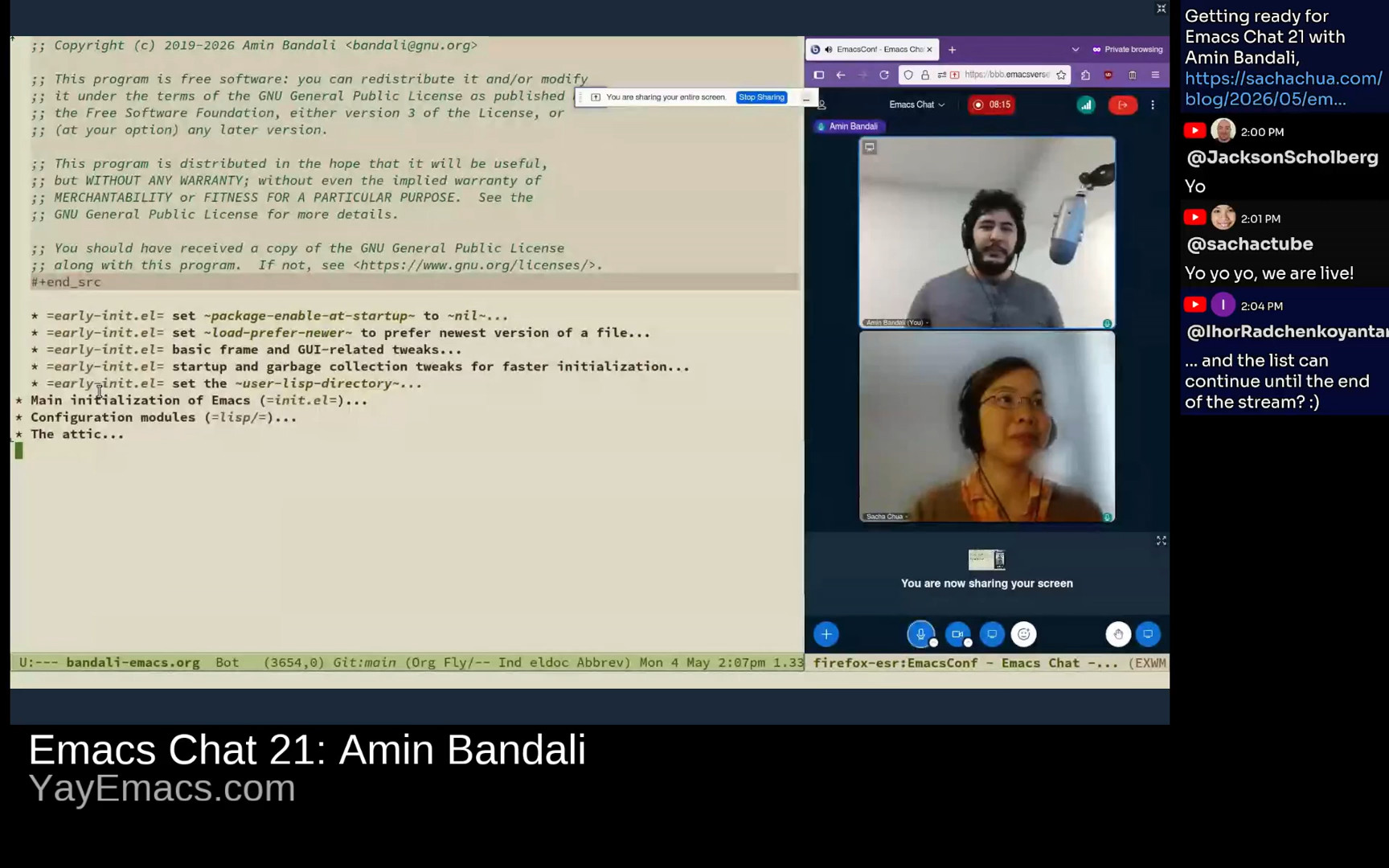 Amin: So that's a brief introduction, and then I have an early init section for doing the early init file. There's a couple of subheadings here. Actually, let me enlarge the font size a little bit to make it more legible. OK, great. I do a couple of things here like disabling package at startup because I don't use package as I mentioned. I manually install and update my packages as git submodules in my configurations repository. Amin: So that's a brief introduction, and then I have an early init section for doing the early init file. There's a couple of subheadings here. Actually, let me enlarge the font size a little bit to make it more legible. OK, great. I do a couple of things here like disabling package at startup because I don't use package as I mentioned. I manually install and update my packages as git submodules in my configurations repository. 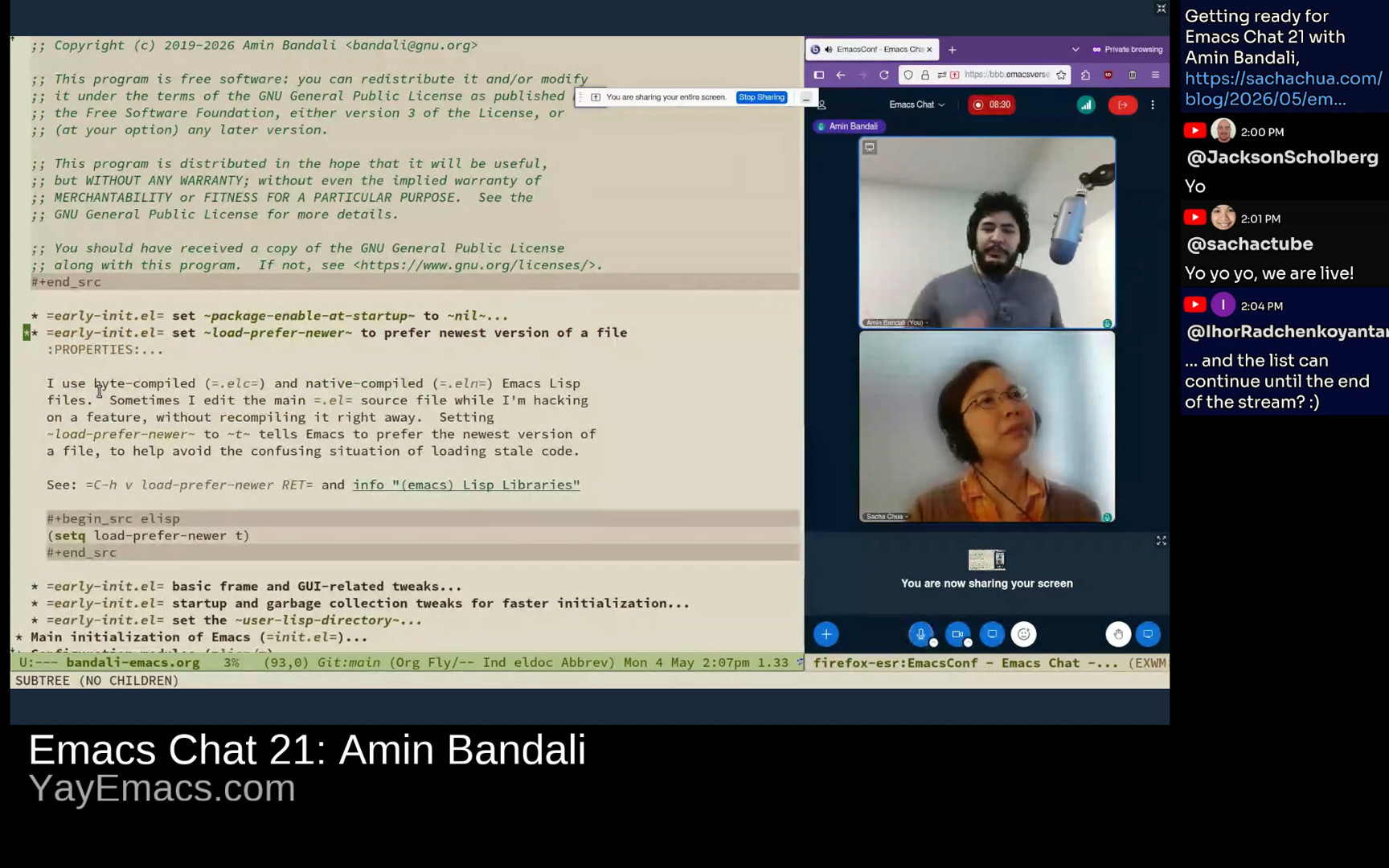 Amin: I set load-prefer-newer to t to make sure that I never load any stale code. For example, I might edit some Emacs Lisp file by hand and forget to byte compile or native compile it. And this tells Emacs to basically just use the version of these three variants that's the most recent. Yeah. Nothing super fancy here. Amin: I set load-prefer-newer to t to make sure that I never load any stale code. For example, I might edit some Emacs Lisp file by hand and forget to byte compile or native compile it. And this tells Emacs to basically just use the version of these three variants that's the most recent. Yeah. Nothing super fancy here. 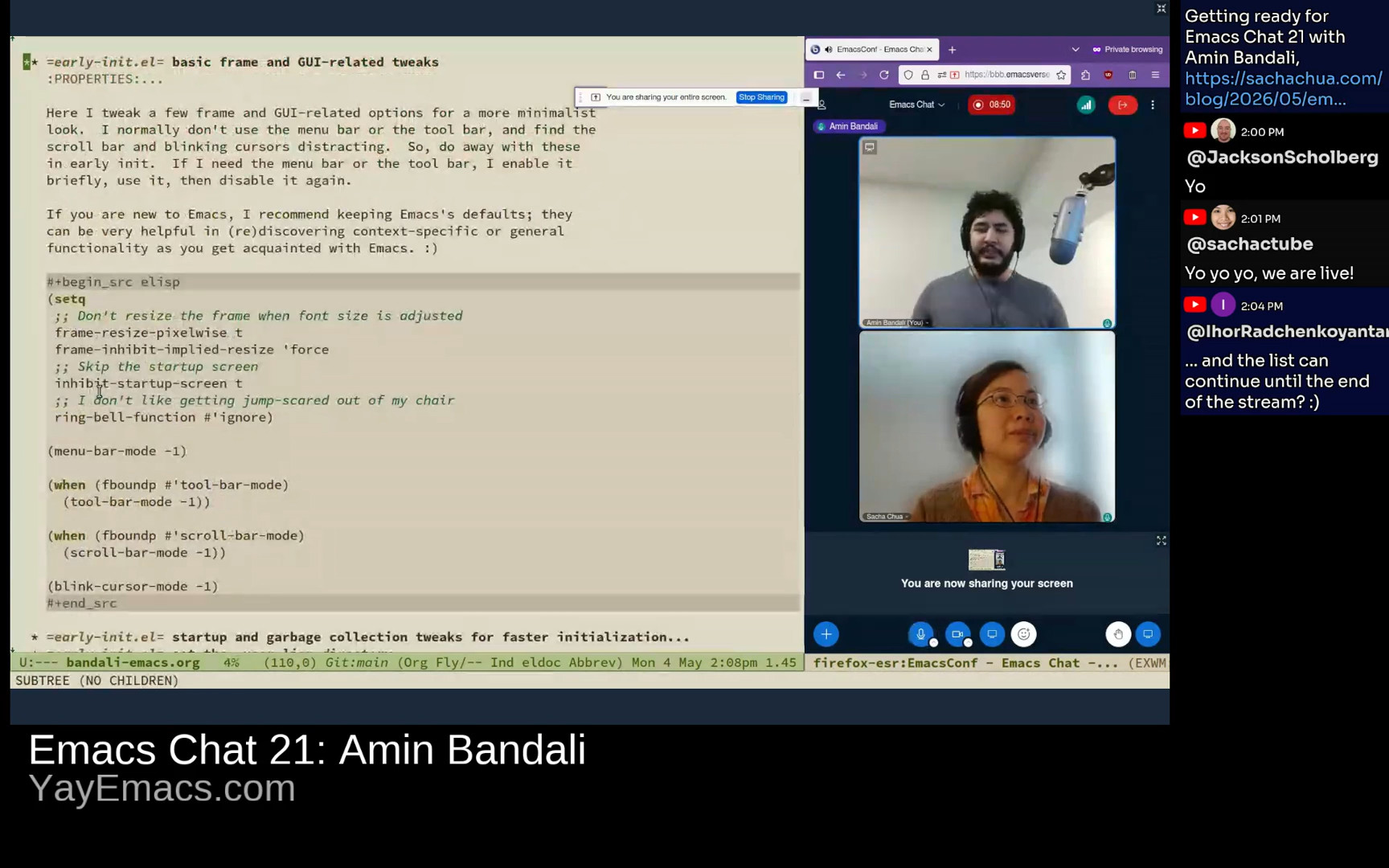 Amin: I turn off a couple of things that I find a little bit distracting, like the menu bar or toolbar. Although I do say here that for people who are new to Emacs, they're actually super helpful. Sure, it's a little bit of visual clutter, but in the beginning, it's really, really helpful to help you orient yourself of what mode you're in, what tools do you have available in your disposal. And even someone who's been using Emacs for more than 10 years, I also use it sometimes when I'm like… just starting to use a new mode. So yeah, good stuff. Amin: I turn off a couple of things that I find a little bit distracting, like the menu bar or toolbar. Although I do say here that for people who are new to Emacs, they're actually super helpful. Sure, it's a little bit of visual clutter, but in the beginning, it's really, really helpful to help you orient yourself of what mode you're in, what tools do you have available in your disposal. And even someone who's been using Emacs for more than 10 years, I also use it sometimes when I'm like… just starting to use a new mode. So yeah, good stuff. 9:06 ring-bell-function Sacha: I was very amused by the comment on the… "I don't like getting jumpscared out of my chair." You turned off the bell. Amin: Yeah, because that actually used to happen when I first started using Emacs. Like when I would, I don't know, I don't even remember when it bells or rings, but Maybe if you like quit like with C-g or like try to backspace into like delete where there's no more characters to delete so it rings a bell and it's very like can be jarring so yeah I turn that off. 9:40 performance optimizations
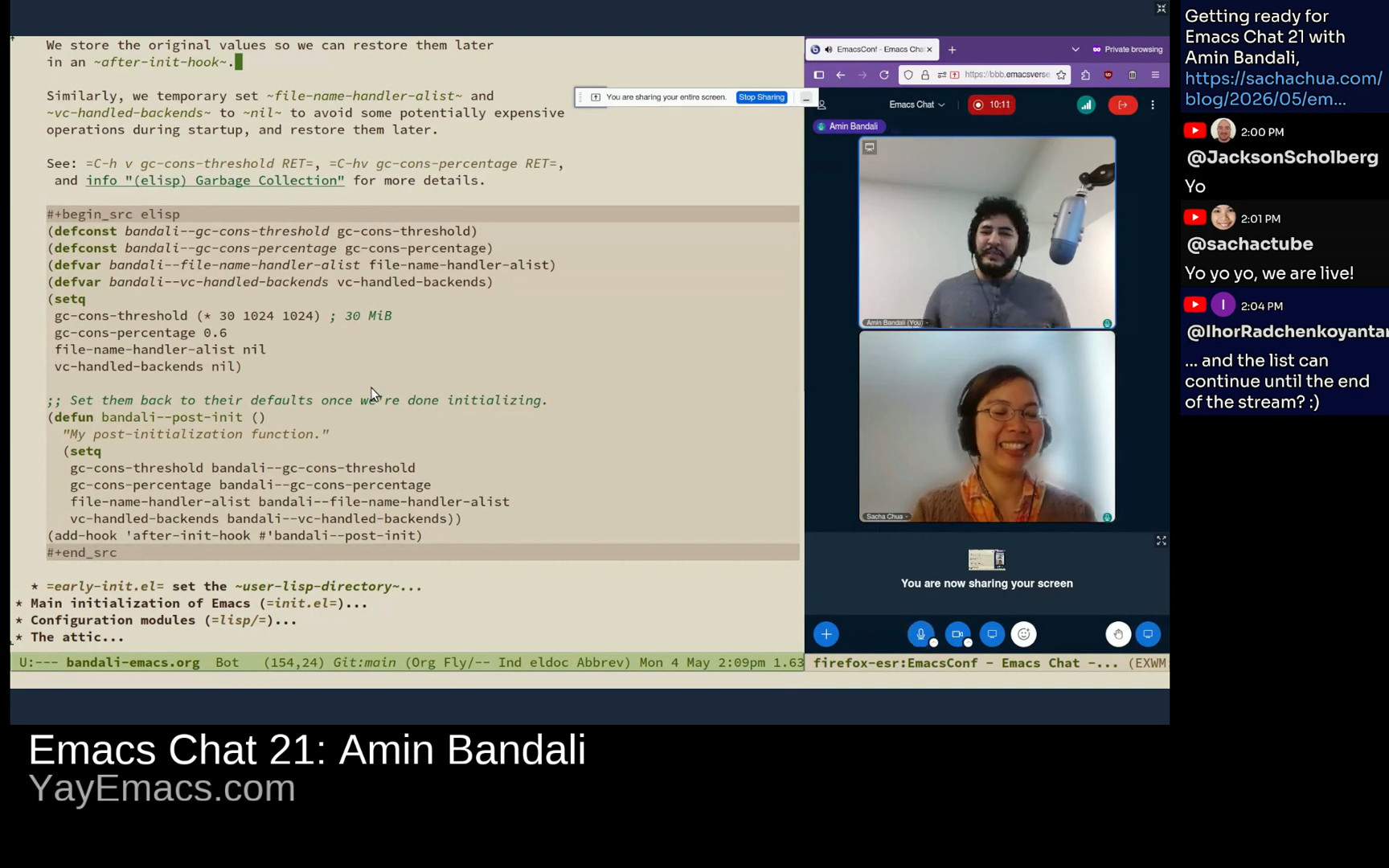 Sacha: Yeah, and then you've got a whole bunch of things where you set some variables to nil temporarily to make it faster, so that's in your startup in garbage collection. Amin: Exactly. Empirically, there is no hard and fast science behind this. I experimented over the years. I'm pretty sure I believe the default, for example, the garbage collection cons threshold is about eight megabytes. I tried increasing that a little bit to see how much If I increase it to what point will it make my startup faster? And I found this 30 megabytes or mibibytes to be kind of a sweet spot. So I bump that up. And then after Emacs has finished initializing, in the after-init-hook, I just restore the defaults. Sacha: Yeah, and then you've got a whole bunch of things where you set some variables to nil temporarily to make it faster, so that's in your startup in garbage collection. Amin: Exactly. Empirically, there is no hard and fast science behind this. I experimented over the years. I'm pretty sure I believe the default, for example, the garbage collection cons threshold is about eight megabytes. I tried increasing that a little bit to see how much If I increase it to what point will it make my startup faster? And I found this 30 megabytes or mibibytes to be kind of a sweet spot. So I bump that up. And then after Emacs has finished initializing, in the after-init-hook, I just restore the defaults. 10:25 user-lisp
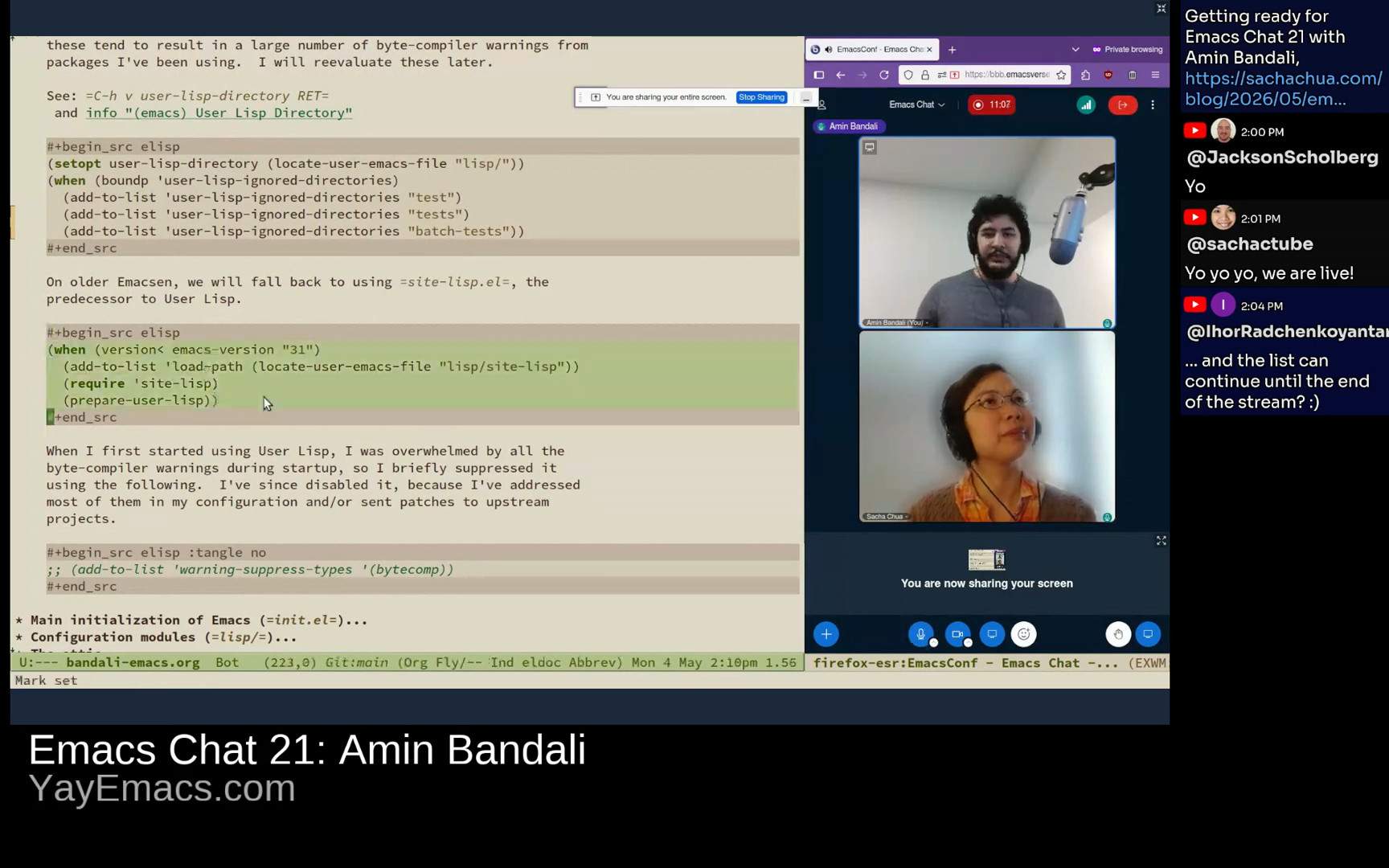 Amin: And then, yeah, this is the bit with the user-lisp-directory that I was talking about. Awesome stuff. So you can basically designate a directory. For example, in my configuration, it's just a lisp directory. And then on startup, Emacs will go through and byte-compile, native-compile if necessary, and then add all of that stuff to the load-path automatically. So you get that. Yeah, and then this is the bit about site-lisp that I was talking about. So if you want to use user-lisp, but you're still using older Emacs versions that you maintain, you need to maintain backward compatibility in your config. This is how you do it, for example. So you just yeah, add it to load-path, require it and then call prepare-user-lisp. That's about it. Amin: And then, yeah, this is the bit with the user-lisp-directory that I was talking about. Awesome stuff. So you can basically designate a directory. For example, in my configuration, it's just a lisp directory. And then on startup, Emacs will go through and byte-compile, native-compile if necessary, and then add all of that stuff to the load-path automatically. So you get that. Yeah, and then this is the bit about site-lisp that I was talking about. So if you want to use user-lisp, but you're still using older Emacs versions that you maintain, you need to maintain backward compatibility in your config. This is how you do it, for example. So you just yeah, add it to load-path, require it and then call prepare-user-lisp. That's about it. 11:14 ignoring byte compilation warnings Sacha: I'm picking up that tip about using the ignore directories. I'm getting by with just ignoring all of the byte compilation output, but it would be nice to just say, you know, that stuff is test. I don't need to worry about it. Amin: Right, right. Thanks. Yeah, I was also doing that. I actually have it as a comment to suppress warning types, like byte compilation, but I was… I plan on working on some packages, whether my own or others, and it would still be helpful to get those warnings, so I keep them enabled. It's still a bit annoying. I still get some of them when I launch emacs but I don't restart or launch emacs as frequently so it's pretty bearable. 11:55 init-file-debug = --debug-init
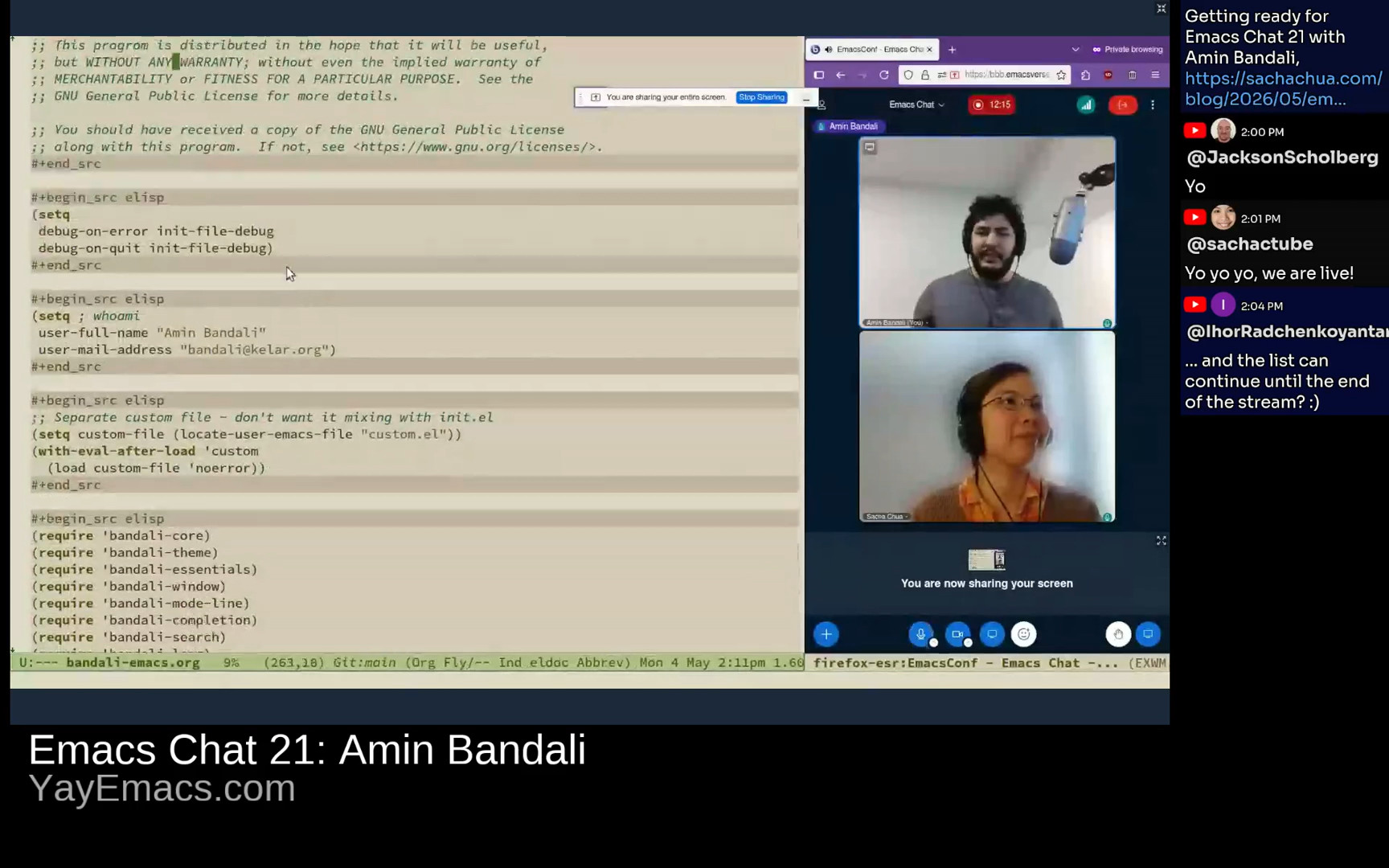 Amin: Yeah, and then I have the main init file. And there's not much in it. It's just the debug-on-error and debug-on-quit. So the debug-on-error thing, I set it to the value of init-file-debug. And if you look at that, the help for this variable, basically if you pass or launch Emacs with --debug-init, this variable will be true. So yeah. Sacha: I did not know that. Cool. Amin: Yeah, it's pretty helpful. I think, if I'm not mistaken, I took this from John Wiegley's dotemacs, but I can't remember for sure. It's been years. Yeah, it's pretty nice. And then here, I just set my name and email address. And very early I set a custom-file to keep all of that stuff separate from my .emacs. I don't want it mixing in. Amin: Yeah, and then I have the main init file. And there's not much in it. It's just the debug-on-error and debug-on-quit. So the debug-on-error thing, I set it to the value of init-file-debug. And if you look at that, the help for this variable, basically if you pass or launch Emacs with --debug-init, this variable will be true. So yeah. Sacha: I did not know that. Cool. Amin: Yeah, it's pretty helpful. I think, if I'm not mistaken, I took this from John Wiegley's dotemacs, but I can't remember for sure. It's been years. Yeah, it's pretty nice. And then here, I just set my name and email address. And very early I set a custom-file to keep all of that stuff separate from my .emacs. I don't want it mixing in. 12:53 Core
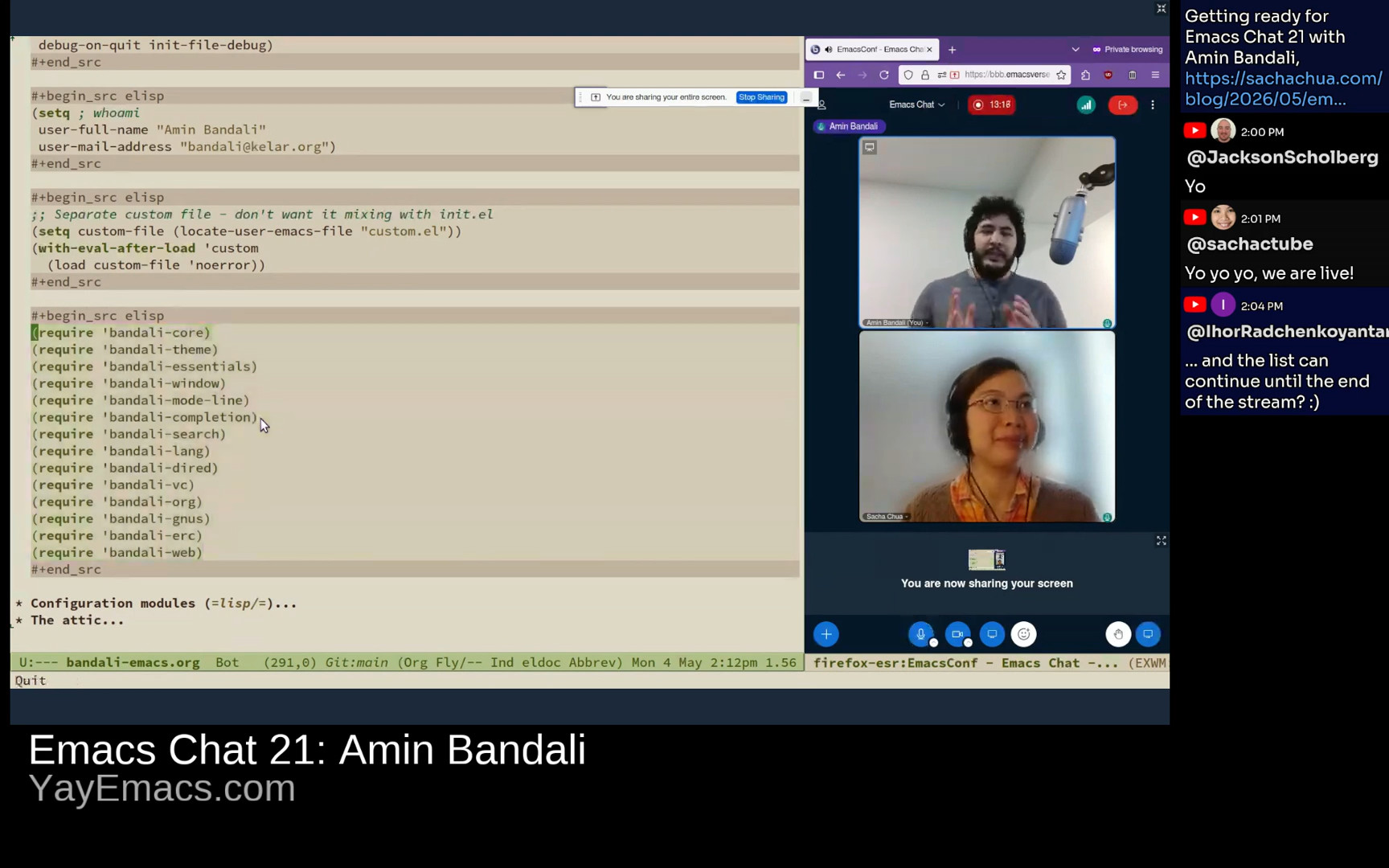 Amin: And then pretty much the only other thing that's in my main init file is just to require and load these different modules or packages of my configuration. I have these as actual packages or as actual features. They provide themselves. And that's just something that I've found straightforward enough to do. I know, for example, Prot uses a dual approach. He has some of his configuration that's more readily usable, available as actual packages. And then the other ones, it's just Emacs Lisp code. It's not actual packages. But for me, I just keep it simple. Everything as packages and that's about that. Sacha: Fantastic. Let's dive into some of those configuration modules. Amin: Sure, let's see. Yeah, so this there's this like core thing which is kind of included gets included in all of my other files. Amin: And then pretty much the only other thing that's in my main init file is just to require and load these different modules or packages of my configuration. I have these as actual packages or as actual features. They provide themselves. And that's just something that I've found straightforward enough to do. I know, for example, Prot uses a dual approach. He has some of his configuration that's more readily usable, available as actual packages. And then the other ones, it's just Emacs Lisp code. It's not actual packages. But for me, I just keep it simple. Everything as packages and that's about that. Sacha: Fantastic. Let's dive into some of those configuration modules. Amin: Sure, let's see. Yeah, so this there's this like core thing which is kind of included gets included in all of my other files. 13:53 no longer using bandali-configure; scoping errors, timing execution
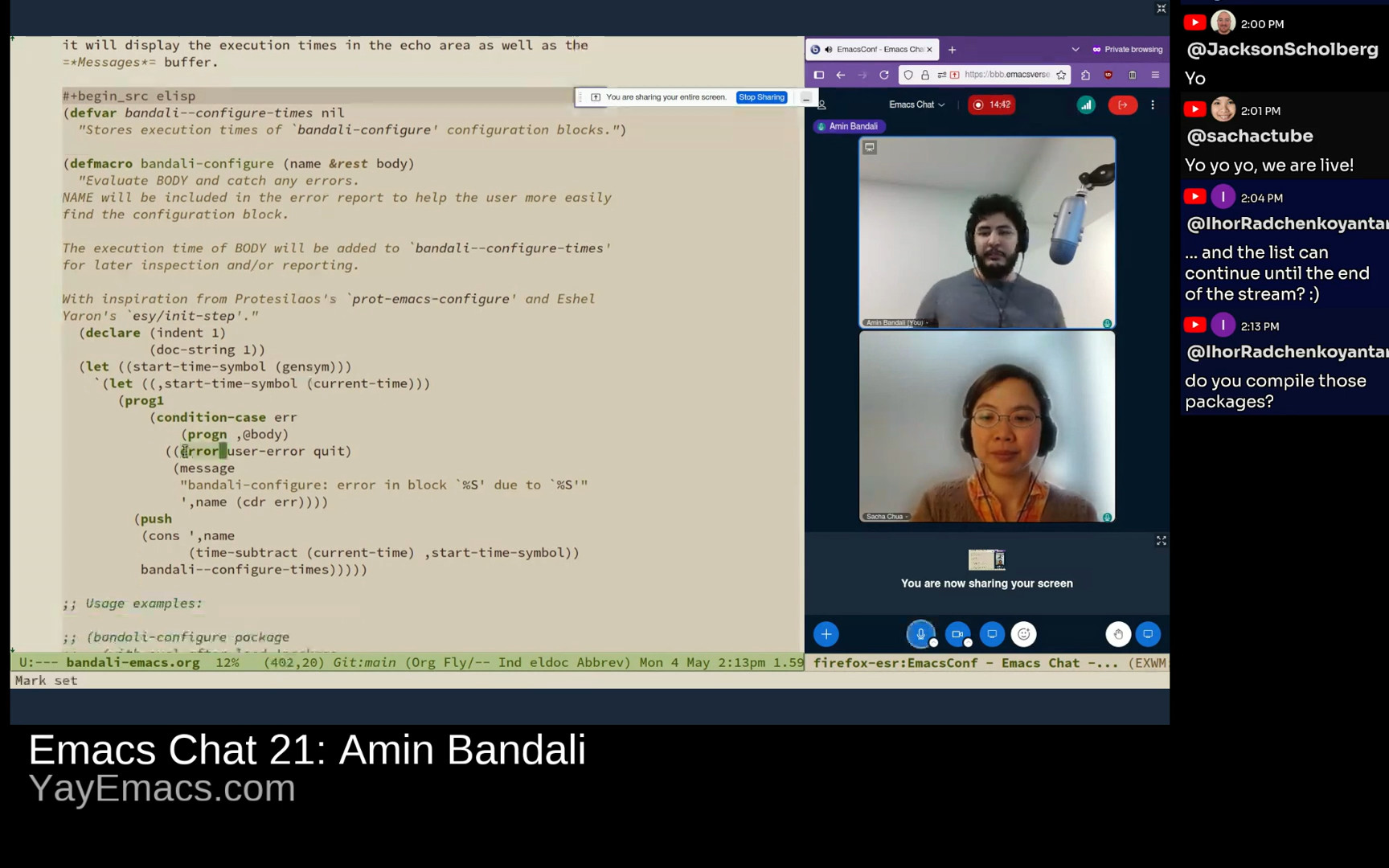 Amin: I wrote a bandali-configure macro shamelessly based on prot-emacs-configure which is what Prot uses and it basically is a way of kind of similar to use-package for like wrapping a bunch of relevant like Emacs Lisp code all together. It has the benefit, if you use it, if there is an error in that block or in the body basically, then it won't crash everything. That body will just get ignored and we display an error. And that's also the main reason that Prot uses it. The one thing that I added extra to mine, which I took with inspiration from Eshel Yaron's esy/init-step, is to wrap it up in basically time the execution of each of these blocks, which can be pretty helpful to help you see, okay, which part of my configuration is particularly slow. Usage examples. I just have it here. You can either basically pass it like a symbol like thing or you can also pass in a string as the first argument. And this is what will be displayed when you display a list of the evaluation times for all of these blocks in your configuration. Amin: I wrote a bandali-configure macro shamelessly based on prot-emacs-configure which is what Prot uses and it basically is a way of kind of similar to use-package for like wrapping a bunch of relevant like Emacs Lisp code all together. It has the benefit, if you use it, if there is an error in that block or in the body basically, then it won't crash everything. That body will just get ignored and we display an error. And that's also the main reason that Prot uses it. The one thing that I added extra to mine, which I took with inspiration from Eshel Yaron's esy/init-step, is to wrap it up in basically time the execution of each of these blocks, which can be pretty helpful to help you see, okay, which part of my configuration is particularly slow. Usage examples. I just have it here. You can either basically pass it like a symbol like thing or you can also pass in a string as the first argument. And this is what will be displayed when you display a list of the evaluation times for all of these blocks in your configuration. 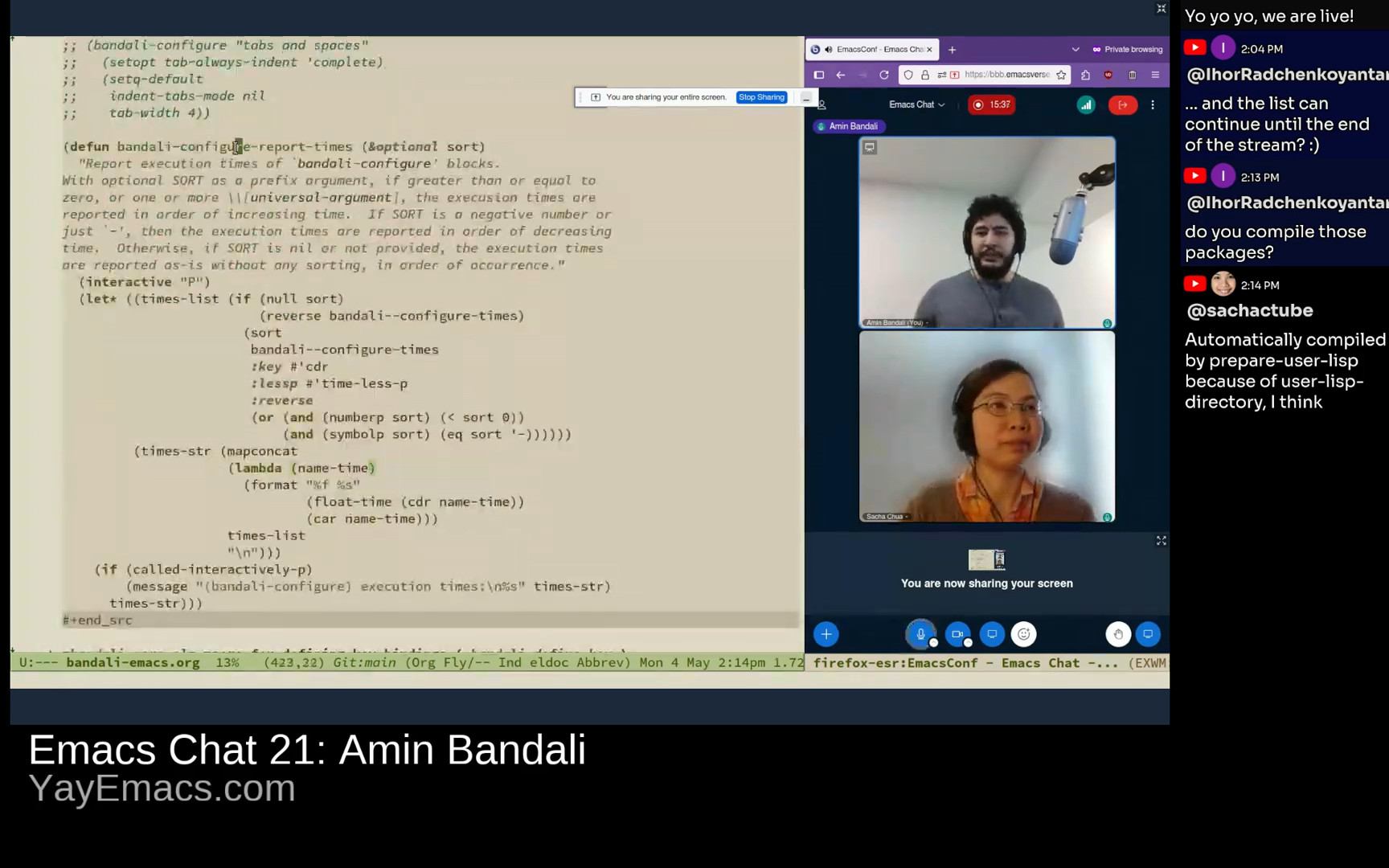 Amin: Yeah, and then I have a neat little function here like bandali-configure-report-times that will report these times, whether in the order that it's encountered them, or you can have it sort by fastest to slowest, slowest to fastest, blah blah blah. Sacha: You mentioned you're no longer using this. Is it because you wanted it to be easier to copy and paste your code? What got you to shift back to the regular vanilla type of configuration? Amin: Right, as neat as it is, I didn't find it super useful. For one thing, because I don't add or remove a ton of stuff to my Emacs configuration regularly, so if there is an error, it wouldn't cause an issue for the rest of my configuration. I didn't really find that very useful. And then my other potential concern is that the way I was structuring things, I would put all of the configuration, let's say for Gnus, in one of these blocks. But I wanted to be able to break that down into, for example, Org Mode sections more easily. So far, I just decided to not use it. I know I could technically break those down into smaller blocks, but I haven't done that yet. Sacha: Ihor says, this configure macro looks a lot like good old use-package, which you're not even using in the rest of your config. And I hear you about wanting to be able to split things into smaller blocks with more explanations in between them. So in my config, yeah, sure, I've got the use-package there to do the ensure and all that stuff. But I also have with-eval-after-load because I still want, you know, the links and the screenshots in between. Amin: Yeah, and then I have a neat little function here like bandali-configure-report-times that will report these times, whether in the order that it's encountered them, or you can have it sort by fastest to slowest, slowest to fastest, blah blah blah. Sacha: You mentioned you're no longer using this. Is it because you wanted it to be easier to copy and paste your code? What got you to shift back to the regular vanilla type of configuration? Amin: Right, as neat as it is, I didn't find it super useful. For one thing, because I don't add or remove a ton of stuff to my Emacs configuration regularly, so if there is an error, it wouldn't cause an issue for the rest of my configuration. I didn't really find that very useful. And then my other potential concern is that the way I was structuring things, I would put all of the configuration, let's say for Gnus, in one of these blocks. But I wanted to be able to break that down into, for example, Org Mode sections more easily. So far, I just decided to not use it. I know I could technically break those down into smaller blocks, but I haven't done that yet. Sacha: Ihor says, this configure macro looks a lot like good old use-package, which you're not even using in the rest of your config. And I hear you about wanting to be able to split things into smaller blocks with more explanations in between them. So in my config, yeah, sure, I've got the use-package there to do the ensure and all that stuff. But I also have with-eval-after-load because I still want, you know, the links and the screenshots in between. 17:02 Why not use use-package Amin: Right. Yeah, exactly. use-package is awesome. I have used that in the past, especially when I was using the straight.el package manager. It pairs nicely with it. But yeah, since then, I found it a little bit like too magical for my tastes, kind of along the lines of declaring an init file bankruptcy at some point I really wanted to understand every single line that I have in my Emacs configuration. And at the time, I didn't know a whole lot about macros or wasn't very well-versed with them. So I just ditched it in favor of simply using, as you mentioned, with-eval-after-load. And then that causes all that code to be basically delayed, not evaluated immediately, but when that package is loaded. And then as to when to pull that package in, depending on if I want it right from the get-go of my Emacs start, then I would require it. Otherwise, I add this, as you also mentioned earlier, this kind of timer thing where if Emacs is idle for, I don't know, 0.2 seconds or 0.4 seconds, then go ahead and require this package. Sacha: Ihor has a tip in the chat. Of course, Ihor has an Org way to do this. He uses use-package whatever config and then he has a noweb reference to the Babel blocks. Then he just says :tangle no on the source blocks so that they don't actually get repeated. Anyway, you can look at it later when you go through. I'll send you the comments or whatever. But show us how you're actually configuring things since you're not using this. 18:37 Defining multiple keybindings
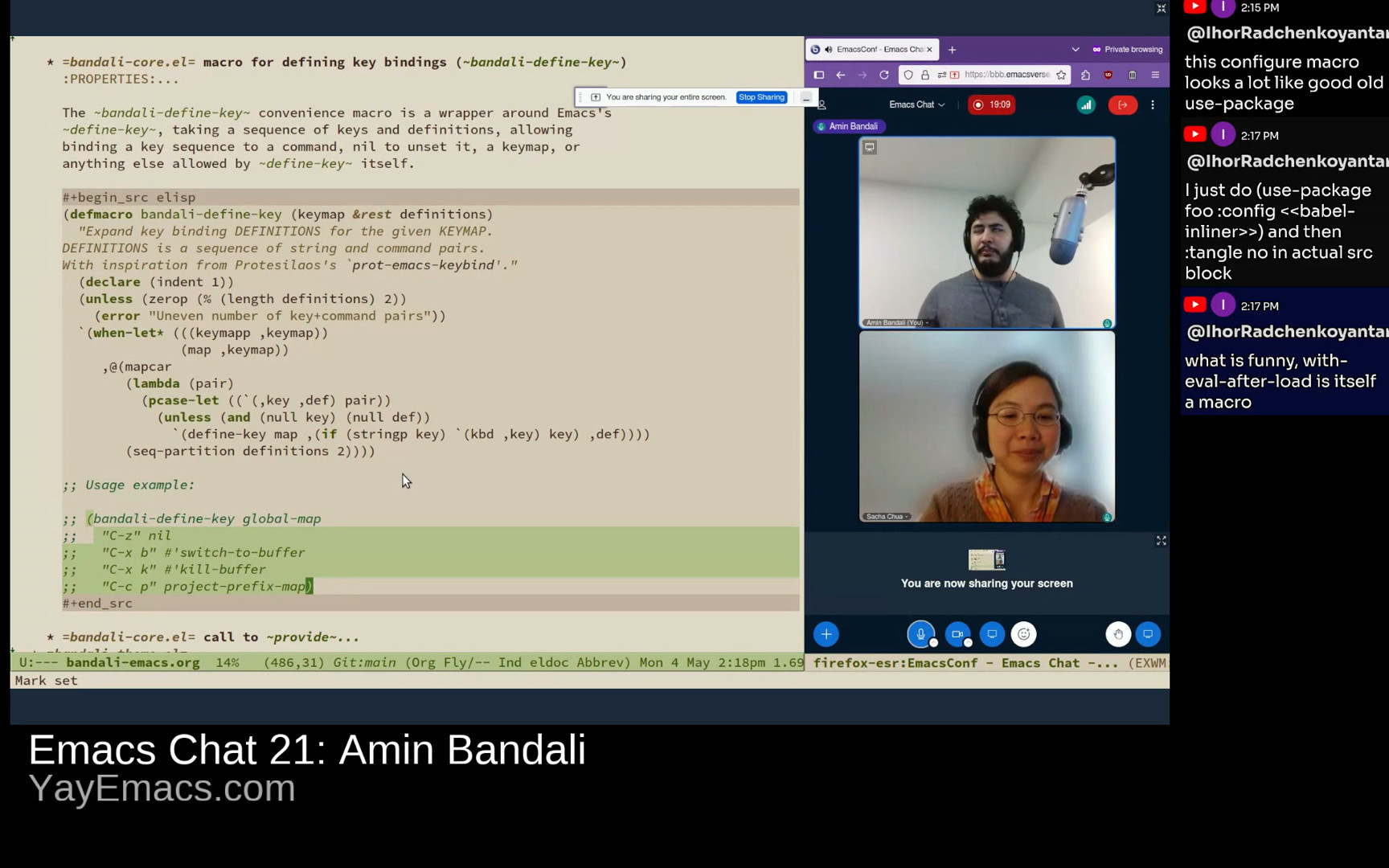 Amin: Then I just have another quick macro thingy here, bandali-define-keys, which wraps around Emacs's define-key. It affords me the convenience of defining multiple key bindings, and Prot's version of this (I think it's prot-emacs-keybind, or something like that) he imposes the limitation that the keys should be valid strings that can be passed to the kbd function, which is very fair and valid, but I wanted to not impose that, to keep the flexibility of using define-key directly. The consequences of that, as we can see, is we can pass in the old representation of key bindings, like the vector or whatever syntax, which Prot's doesn't support by choice, whereas mine does. Let's see. For example, let's look at the bandali-theme.el, which is all about… The appearance, I guess, of Emacs. Amin: Then I just have another quick macro thingy here, bandali-define-keys, which wraps around Emacs's define-key. It affords me the convenience of defining multiple key bindings, and Prot's version of this (I think it's prot-emacs-keybind, or something like that) he imposes the limitation that the keys should be valid strings that can be passed to the kbd function, which is very fair and valid, but I wanted to not impose that, to keep the flexibility of using define-key directly. The consequences of that, as we can see, is we can pass in the old representation of key bindings, like the vector or whatever syntax, which Prot's doesn't support by choice, whereas mine does. Let's see. For example, let's look at the bandali-theme.el, which is all about… The appearance, I guess, of Emacs. 19:45 doric-oak uses emphasis instead of colours
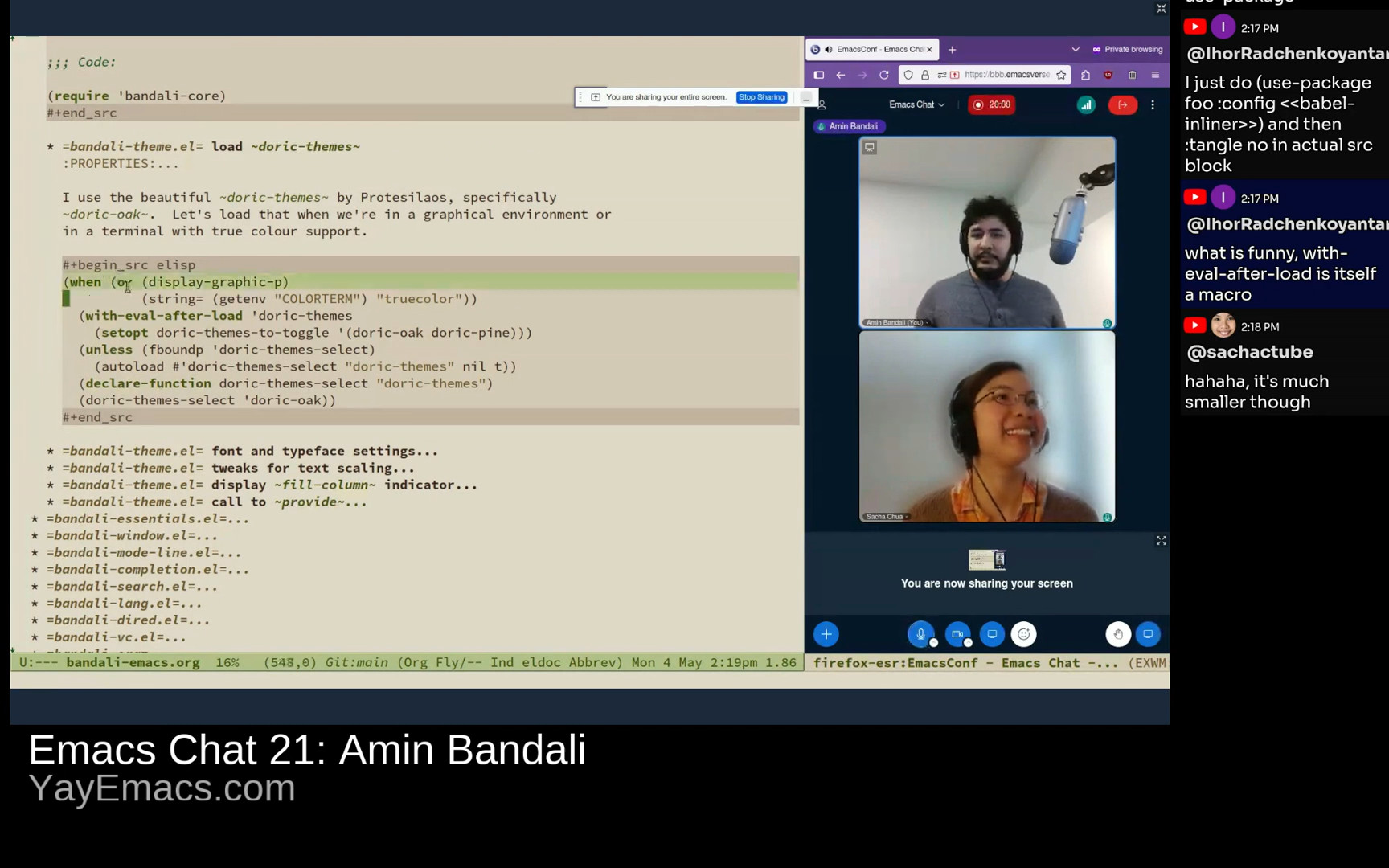 Amin: Yeah, so I just have a conditional block where, you know, if you're in a graphical environment, I'll just go ahead and load Prot's doric-themes, specifically doric-oak, which is what we're seeing right now. I'm using, it's very beautiful, it's very subtle, and it uses emphasis, bolding and stuff to draw your eye to something instead of using a million different colours, which I find pretty nice. Yeah, and then for example here I set up some fonts. I use this Sahel font for Persian and Arabic Amin: Yeah, so I just have a conditional block where, you know, if you're in a graphical environment, I'll just go ahead and load Prot's doric-themes, specifically doric-oak, which is what we're seeing right now. I'm using, it's very beautiful, it's very subtle, and it uses emphasis, bolding and stuff to draw your eye to something instead of using a million different colours, which I find pretty nice. Yeah, and then for example here I set up some fonts. I use this Sahel font for Persian and Arabic
|



.png)
 More
More
 Religion & Spirituality
 Education
 Arts and Design
 Health
 Fashion & Beauty
 Government & Organizations
 Kids & family
 Music
Music News & Politics
 Science & Medicine
 Society & Culture
 Sports & Recreation
 TV & Film
 Technology
 Philosophy
 Storytelling
 Horror and Paranomal
 True Crime
 Leisure
 Travel
 Fiction
 Crypto
 Marketing
 History
 Comedy
 Arts
Arts Games & Hobbies
 Business
 Motivation