|
Starting a podcast can be exciting, but choosing the right podcast hosting platform is crucial for success. If you’re looking for a robust and user-friendly option, Spreaker might be the perfect fit for you.
In this Spreaker review, we’ll dive into everything Spreaker offers, from its intuitive interface and one-click distribution to its flexible monetization options and insightful analytics. Whether you’re a newbie or a seasoned podcaster, this comprehensive review will help you decide if Spreaker is the right platform to elevate your podcasting game.
By the end of this article, you’ll clearly understand Spreaker’s features, pricing, and how it compares to other top podcast hosts. Let’s get started and see if Spreaker is the platform you’ve been looking for to host your podcast seamlessly and effectively.
Key Takeaways
  Spreaker provides an all-in-one podcasting solution, covering recording, editing, hosting, distributing, and monetizing, making it an ideal choice for podcasters of all experience levels. Spreaker provides an all-in-one podcasting solution, covering recording, editing, hosting, distributing, and monetizing, making it an ideal choice for podcasters of all experience levels.  Flexible pricing plans range from a free option for beginners to advanced plans for professionals and enterprises, ensuring a fit for various podcasting needs. Flexible pricing plans range from a free option for beginners to advanced plans for professionals and enterprises, ensuring a fit for various podcasting needs. Robust analytics deliver deep insights into your podcast’s performance, helping you make informed content decisions and grow your audience effectively. Robust analytics deliver deep insights into your podcast’s performance, helping you make informed content decisions and grow your audience effectively. Unlimited storage and uploads across higher subscription levels allow for unrestricted podcast growth and scalability. Unlimited storage and uploads across higher subscription levels allow for unrestricted podcast growth and scalability.  Customizable media player and one-click distribution enable seamless integration with your website and social media, enhancing your reach and listener engagement. Customizable media player and one-click distribution enable seamless integration with your website and social media, enhancing your reach and listener engagement.
What Is Spreaker?
 Highlighted Text Box
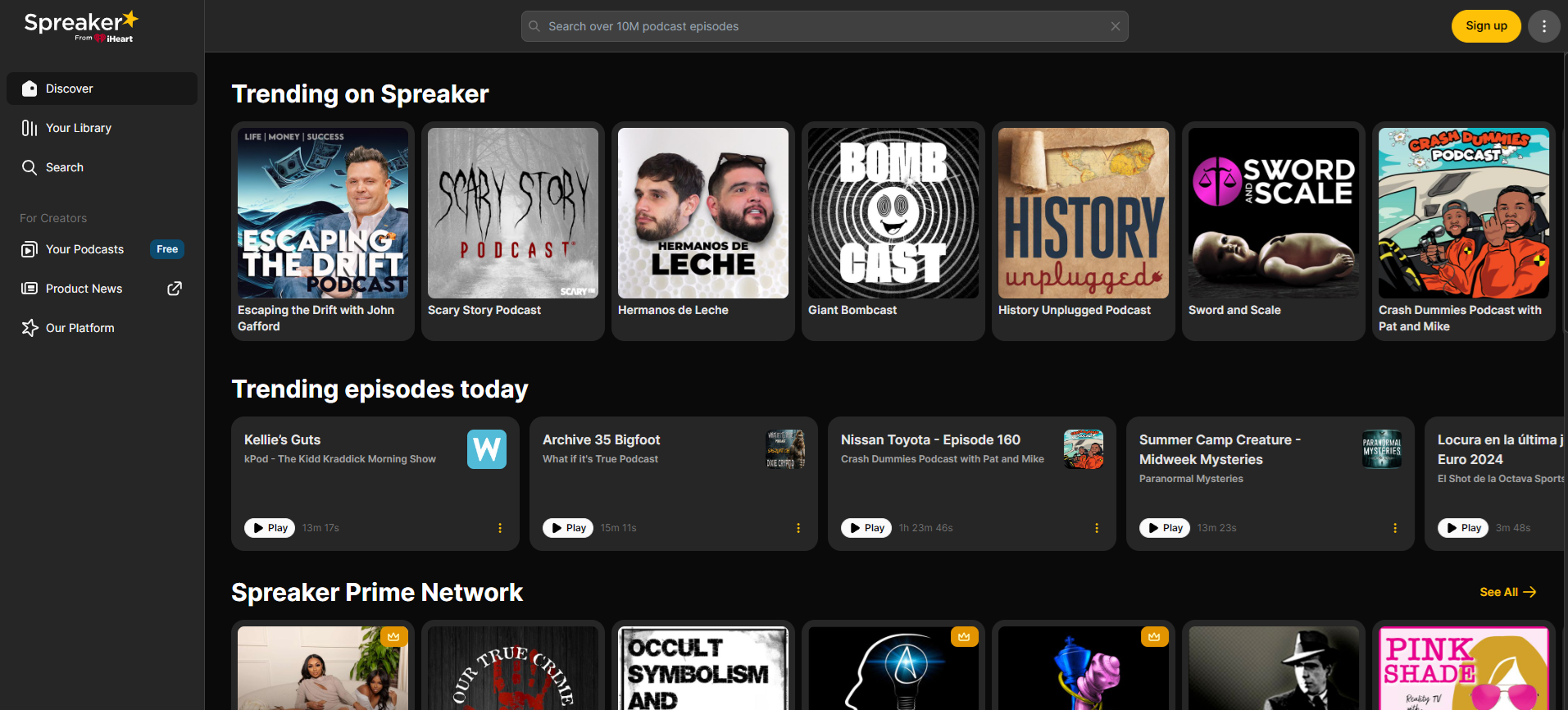
Spreaker is a versatile and comprehensive tool designed for audio creators looking to streamline their podcast production and distribution.
Founded in 2010 by CEO Francesco Baschieri, Rocco Zanni, and Marco Pracucci, Spreaker is based in New York and offers an all-in-one podcaster solution. With Spreaker, you can create and distribute podcasts effortlessly while also benefiting from monetization options and listener analytics.
Spreaker provides a suite of tools that cater to both new and experienced podcasters. Its features include live broadcasting, automated distribution to major platforms like Apple Podcasts and Spotify, and detailed analytics to help you understand your audience better.
The platform also supports monetization through dynamic ad insertion, giving podcasters control over ad placements within their episodes.
While it might not have the same level of recognition as giants like Simplecast and Buzzsprout, Spreaker has carved out a dedicated user base both in the United States and globally.
Reviews from both beginners and seasoned podcasters consistently highlight the platform’s robust features and user-friendly interface, making it a worthy contender in the podcast hosting industry.
Whether you’re starting your first podcast or looking to switch hosts, Spreaker offers a reliable and feature-rich option to support your podcasting journey.
How Much Does Spreaker Cost?

Spreaker offers a range of pricing plans tailored to different podcasting needs, from hobbyists to enterprise-level professionals. Here are the current pricing options:
Free Speech: Free
- Ideal for: Beginners or hobbyists looking to explore podcasting without any upfront costs.
- Includes: Hosting for multiple podcasts, unlimited episodes, and basic stats (download count, daily listeners).
On-Air Talent: $7/month
- Ideal for: Podcasters seeking basic monetization and customizable RSS feeds.
- Includes: Hosting for multiple podcasts, customizable RSS feeds, programmatic monetization, and increased audio storage.
Broadcaster: $20/month
- Ideal for: Growing podcasts needing advanced analytics and more extensive features.
- Includes: All On-Air Talent features, advanced statistics (download count, daily listeners, listening sources, geolocation), limited access podcasts, customizable player colors, and increased audio storage.
Anchorman: $50/month
- Ideal for: Established podcasts requiring comprehensive analytics and team collaboration.
- Includes: All Broadcaster features, full stats (including devices used, episode evolution), collaborators feature for team management, and enhanced player customization.
Publisher: $120/month (Enterprise Plan)
- Ideal for: Large podcast networks needing extensive tools for management and monetization.
- Includes: All Anchorman features, 60,000 downloads, unlimited listeners, unlimited collaborators, full web player customization, 24/7 live podcasting, advanced monetization tools (ad revenue sharing, dynamic ad insertion), and detailed analytics certified by IAB Tech Lab.
Riverside.fm Affiliate Button
All plans ensure seamless distribution to major platforms like Apple Podcasts, Spotify, and Google Podcasts. They also offer unlimited audio storage, making them a robust choice for podcasters at any level.
If you’re serious about podcasting, the Broadcaster plan is a good starting point as it includes essential features for growing shows. For large or enterprise-level needs, the Publisher plan provides extensive tools and capabilities to manage and monetize your podcast effectively.
Pricing Plan Features Comparison
| Feature | Free Speech | On-Air Talent | Broadcaster | Anchorman | Publisher (Enterprise) |
|---|
| Monthly Cost | Free | $7 | $20 | $50 | $120 | | Downloads per Month | 5 hours of storage |  Multiple Podcasts Multiple Podcasts | Multiple Podcasts | Multiple Podcasts | Multiple Podcasts | | Uploads & Storage | 5 hours of storage | Multiple Podcasts | Multiple Podcasts | Multiple Podcasts | Multiple Podcasts | | Analytics | Basic | Basic | Advanced | Full | Full | | Web Players | Basic | Basic | Advanced | Customizable | Full Customization | | Team Members | 1 | 1 | 4 | 9 | Unlimited | | Ad Insertion |  |  | | | | | Reporting Suite | | | | | | | Custom Website Pages | 1 | 2 | 4 | 9 | Unlimited | | Dynamic Ad Insertion | | | | | | | Customer Support | Standard | Standard | Standard | Standard | Priority | | API Integration | | | | | | | White-labeled RSS Feeds | | | | | |
Key Features of Spreaker
Spreaker Studio has features that make it easy to manage your podcast. Below, we review some of the best ones.
Keep in mind that which features you have access to depends on which plan you have. Later, we review each Spreaker plan in detail.
Clean Interface

Spreaker Studio is renowned for its clean and intuitive interface, designed to simplify the podcast creation process. The platform’s interface is user-friendly, allowing podcasters to navigate and manage their audio storage effortlessly.
This ease of use extends across various devices, as Spreaker Studio is compatible with most browsers, as well as Windows, OSX, iOS, and Android platforms. This flexibility ensures that you can manage your podcast from your desktop, laptop, or mobile device without any hassle.
The interface is structured to help users quickly find what they need, complete tasks efficiently, and switch between different podcasts seamlessly. This makes Spreaker an ideal choice for both beginners and experienced podcasters who want to focus more on content creation and less on navigating complex software.
Listening Platform to Grow Your Audience
Spreaker offers a robust listening platform designed to help podcasters grow their audience. This platform functions similarly to SoundCloud, enabling listeners to access and share their favorite shows across various devices.
The listening platform is integrated within Spreaker, allowing for seamless publishing and sharing of episodes directly to a dedicated audience.
While platforms like Spotify and Apple Podcasts are more widely recognized, Spreaker’s listening platform provides an additional avenue for discoverability. It helps podcasters reach new listeners who might not find their content on other platforms.
The ability to share episodes across social media further enhances the potential for audience growth and engagement.
One-Click Distribution
Spreaker simplifies the distribution process with its one-click distribution feature. This allows podcasters to distribute their episodes to major platforms such as Apple Podcasts, Google Play Store, Deezer, and others with a single click.
Spreaker’s one-click distribution ensures that your podcast reaches a broad audience without the need for manual uploads to each platform, saving you time and effort.
This streamlined distribution is crucial for podcasters aiming to maximize their reach and ensure their content is available wherever their audience prefers to listen.
By making it easy to distribute episodes across multiple platforms, Spreaker helps you keep up with the competition and increases the likelihood that new listeners will discover your podcast.
Spreaker Studio
Spreaker Studio stands out as a comprehensive tool for both recording and editing podcasts. This versatile platform allows you to record high-quality audio directly within the app, eliminating the need for external software.
It supports live streaming, enabling podcasters to engage with their audience in real time. This feature is particularly useful for live shows, interviews, and interactive sessions with listeners.
The Spreaker Studio app is compatible with Windows, OSX, iOS, and Android, making it accessible across various devices. It can be connected to external microphones and mixers, enhancing the audio quality of your recordings.
Additionally, Spreaker Studio integrates with programs like Skype, allowing you to include remote guests seamlessly.
Easy to Transfer From Another Podcast Host to Spreaker
With Spreaker, it’s simple to migrate your podcast from another hosting platform with its RSS Feed Importer. This tool allows you to transfer your existing podcast, including all episodes and metadata, to Spreaker effortlessly.
The clear, step-by-step instructions provided by Spreaker ensure a smooth transition, making it easy for both beginners and experienced podcasters to switch to Spreaker without losing any content or listeners.
This feature is particularly beneficial for podcasters looking for increased storage, better monetization options, or more advanced analytics. The process is designed to maintain all existing distribution points, so your podcast remains available on platforms like Apple Podcasts and Spotify without interruption.
Insightful Analytics
 Source: Spreaker SWOT Analytics Source: Spreaker SWOT Analytics
Spreaker offers robust analytics tools that provide podcasters with detailed insights into their audience and performance.
These analytics include metrics such as download counts, daily listeners, listener demographics, and listening sources. Spreaker’s analytics are certified by the IAB Tech Lab, ensuring that the data is accurate and reliable, which is essential for podcasters looking to understand their audience and grow their podcast.
The analytics dashboard is user-friendly, making it easy for podcasters to track their progress and identify trends. You can see how many listeners tuned in live, how many downloads each episode received, and even demographic information about your audience.
This detailed insight helps you tailor your content to better meet the needs and preferences of your listeners, ultimately helping you to grow your audience.
Social Media Sharing and Embedded Players
Spreaker enhances your podcast’s discoverability through its social media sharing and embedded player features:
Social media: You can share new episodes directly on Twitter  , Facebook , Facebook  , LinkedIn , LinkedIn  Your browser does not support the audio element.
Users also like
| 


.png)
 More
More
 Religion & Spirituality
 Education
 Arts and Design
 Health
 Fashion & Beauty
 Government & Organizations
 Kids & family
 Music
Music News & Politics
 Science & Medicine
 Society & Culture
 Sports & Recreation
 TV & Film
 Technology
 Philosophy
 Storytelling
 Horror and Paranomal
 True Crime
 Leisure
 Travel
 Fiction
 Crypto
 Marketing
 History
 Comedy
 Arts
Arts Games & Hobbies
 Business
 Motivation